For iPhone, iPad and Mac
IT strategy and RFP documents,
drafted by AI in minutes.
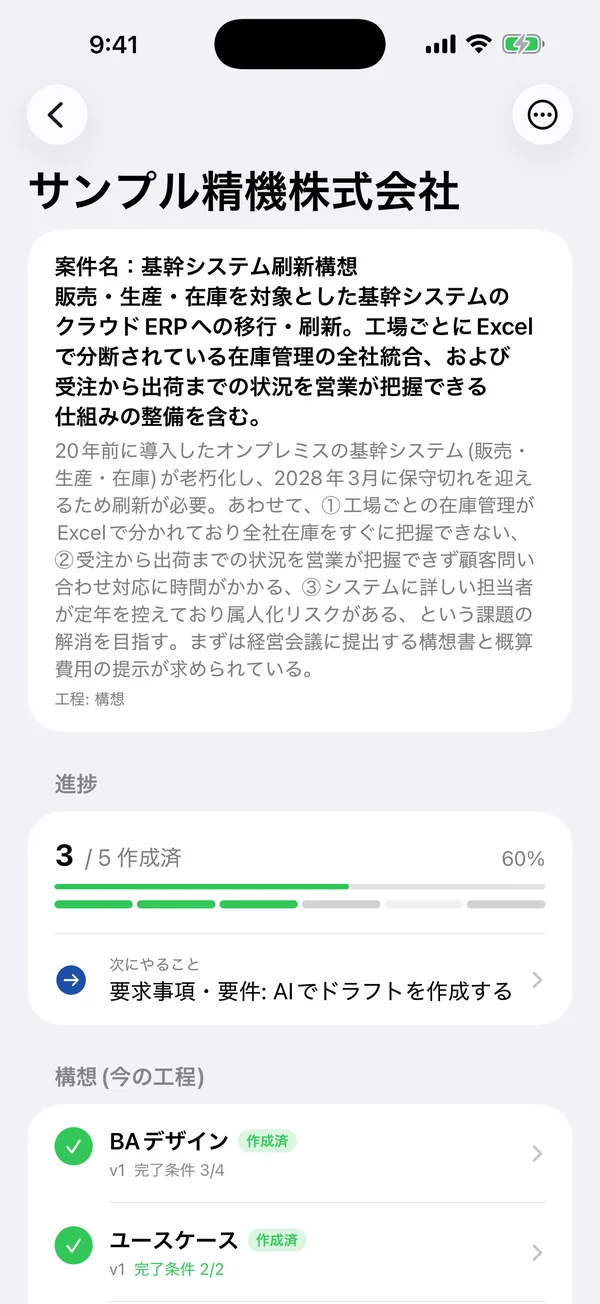
Enter a project brief, and the AI drafts business architecture, use cases, process flows, IT architecture, requirements, fit/gap analysis and RFPs step by step — ready to use in PowerPoint, Excel and Word.
Sound familiar?
First drafts take days
You have the brief, but getting the first version of the strategy or requirements written takes far too long.
Documents drift apart
When issues, process flows, requirements and the RFP are written separately, gaps and contradictions creep in.
No time to prepare the hearing
It's hard to find time to work out what to ask the client in the first meeting.
Every deliverable for IT strategy and planning, in one flow
Each deliverable builds on the previous ones, so your documents stay consistent.
- 01
Business architecture
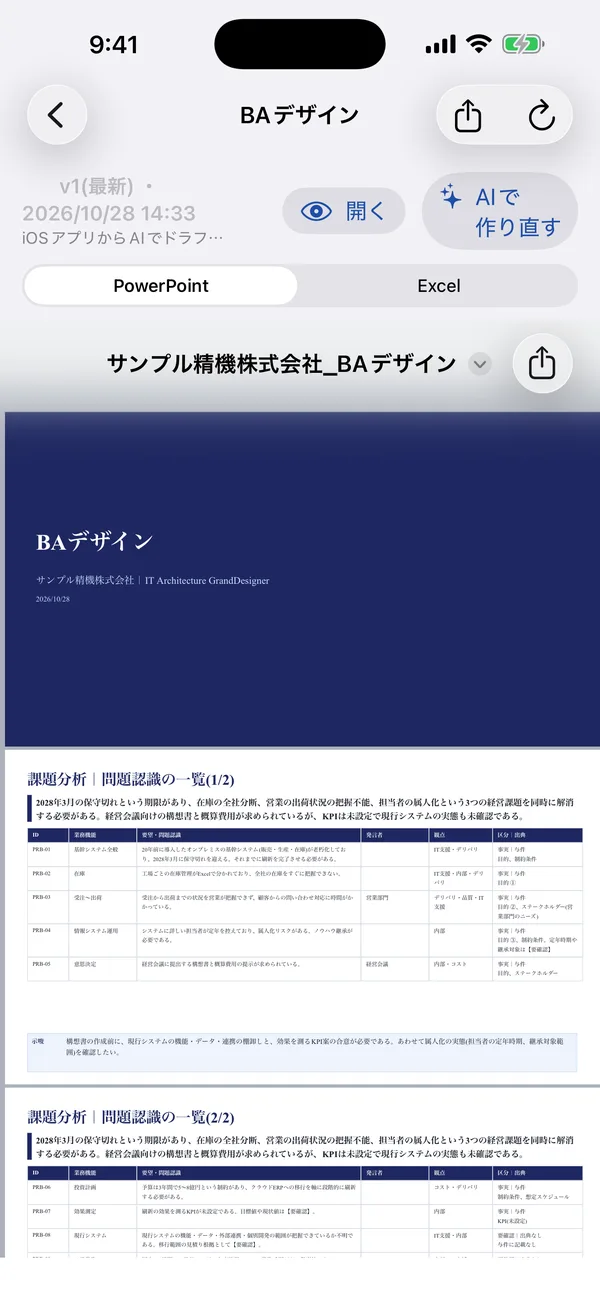
Current issues, target state, business model and IT strategy.
- 02
Use cases
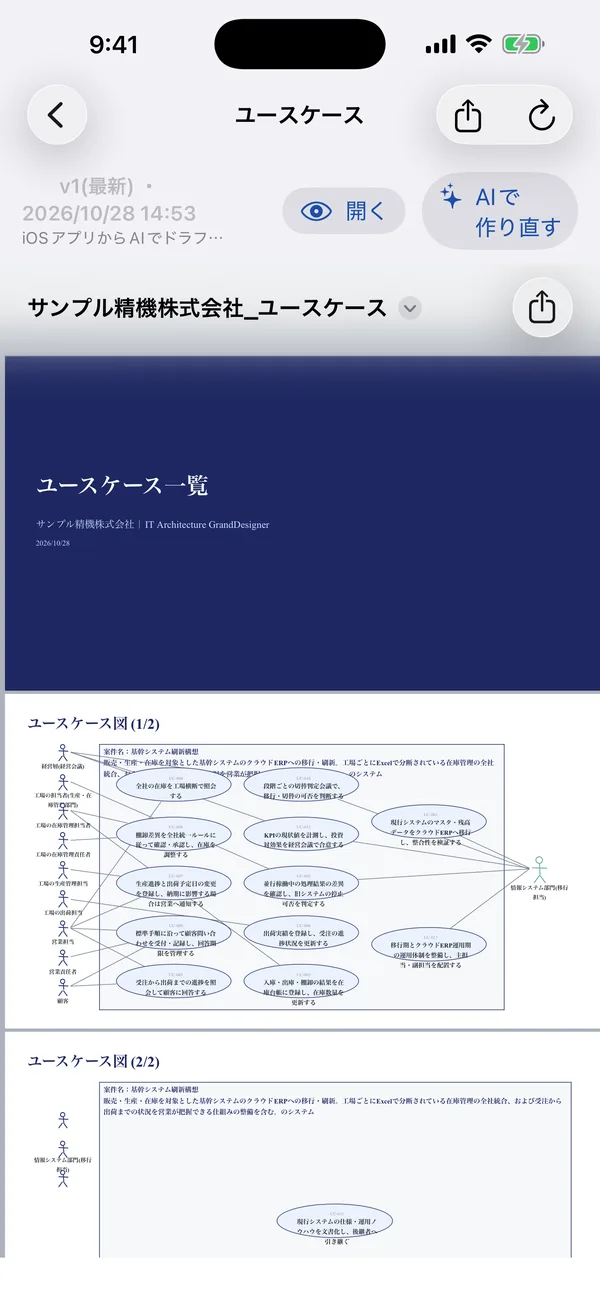
Who does what with the system, as a use case diagram and list.
- 03
Business process flows
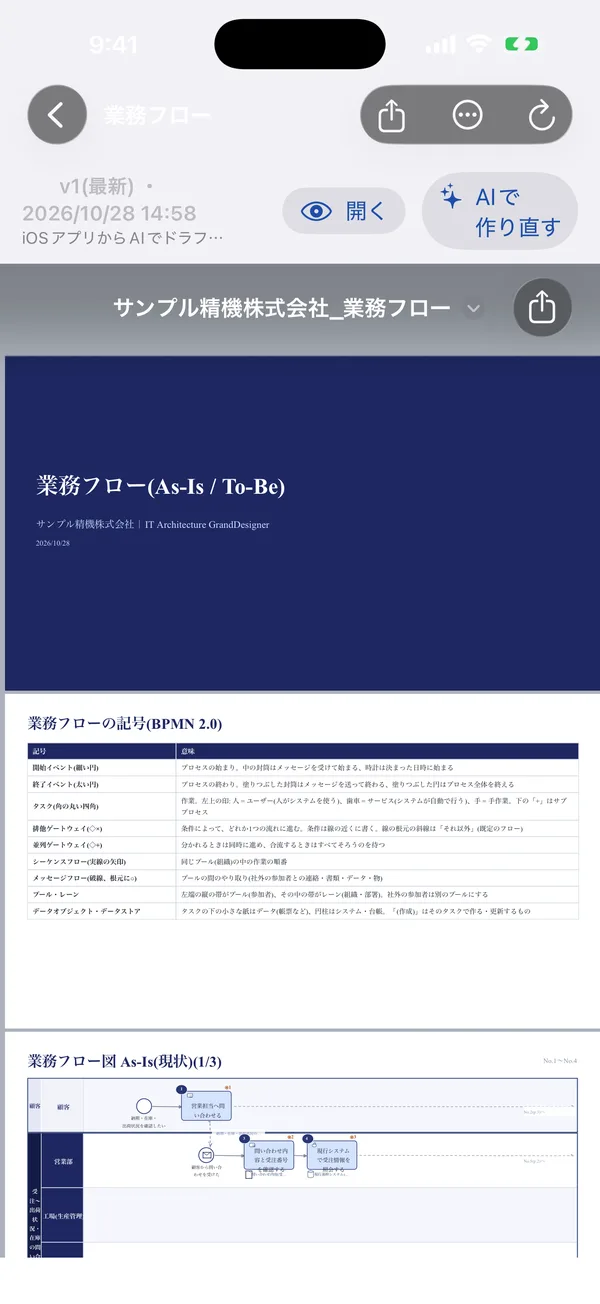
As-Is / To-Be flows in BPMN 2.0 notation.
- 04
IT architecture grand design
The big picture of the new system across business, data, application and technology layers.
- 05
Requirements
Business, functional, non-functional and infrastructure requirements, organized.
- 06
Package selection & fit/gap
From comparing candidates to analyzing fit and gaps against your processes.
- 07
RFP
A request for proposal (or RFI) you can hand to vendors.
How it works
- 1
Enter the brief
Type, dictate, or let the AI read it from photos and documents (PDF, Office).
- 2
Get a hearing question list
Even from the brief alone, get the questions to ask your client — exportable to Excel.
- 3
Let the AI draft
Deliverables are created in order. Add instructions and regenerate, or close the app and wait.
- 4
Check and share in Office
Find inconsistencies and gaps across deliverables, then share them as PowerPoint, Excel or Word.
Screens
Intro video
Built to be trusted
Never used for AI training
Your input and deliverables are never used for AI training or advertising, and are sent to the AI only after you consent in the app.
Delete anytime
Deleting your account deletes all your data, including projects and deliverables.
Japanese or English
Choose the deliverable language — Japanese or English — for each project.
Pricing
Both plans start with a 1-week free trial for first-time subscribers.
Monthly Plan
$17.99/ month
Annual Plan
Save 2 months vs monthly$179.99/ year
- Up to 3 projects
- Up to 30 AI runs per month
- Export to PowerPoint, Excel and Word
- Deliverable checks and question lists
Prices in USD; local prices vary by country. Payment is charged to your Apple ID. Subscriptions renew automatically unless canceled at least 24 hours before the end of the period.
FAQ
Who is it for?
IT consultants, SI project managers and pre-sales, and in-house IT teams working on IT strategy, planning and RFPs.
Does it work on Windows?
It runs on iPhone, iPad and Apple silicon Macs. Deliverables are Office files, so you can open them on any Windows PC.
Can I use the AI output as is?
The AI creates first drafts. Please review and edit them before use. Unclear points are marked [TBC].
How do I cancel?
On iPhone, open Settings → your name → Subscriptions.

Try it free for a week
From entering a brief to your first deliverable takes just a few minutes.